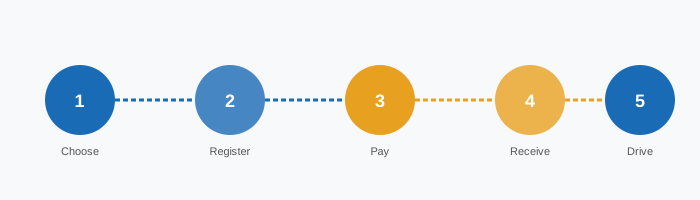
8-Step Purchase Process
Confirm Vehicle Weight
Check your registration document for gross vehicle weight. Under 3.5t: vignette applies. Over 3.5t: use GO-Box system instead. Campervans and motorhomes often fall near this threshold — check carefully.
Check for Trailer
If towing a caravan, boat trailer, or any other trailer, it needs its own vignette linked to its registration plate. Purchase both the towing vehicle and trailer vignettes separately.
Select Validity Period
Use the Selection Matrix to choose between 10-day, 2-month, and annual. When in doubt, choose the longer option — the cost difference is small compared to a fine.
Gather Vehicle Details
Have your exact licence plate number ready, including country prefix for foreign plates. Check the registration document — do not rely on memory. One wrong character invalidates the vignette.
Access the Official Portal
Navigate to shop.asfinag.at. This is the only official purchase channel. Do not use unofficial resellers — they may charge higher fees or provide invalid vignettes.
Complete the Purchase
Enter your plate number, select vignette type, choose start date, and pay. Accepted methods: Visa, Mastercard, Maestro, and some digital wallets. Ensure your billing details match your card.
Save Confirmation
After payment, save the confirmation email with your transaction reference. This is your proof of purchase. The vignette is registered immediately in the ASFINAG database.
Verify Registration
Use the ASFINAG verification tool (asfinag.at/maut/vignette/kontrolle) to confirm your plate is registered before driving on a motorway. Allow up to 18 hours in rare cases.
Preparation Checklist
- Vehicle registration document available
- Gross weight confirmed (under 3.5t)
- Trailer status checked
- Vignette type selected via Matrix
- Exact licence plate noted (with country prefix)
- Payment card ready and valid
- Email address confirmed for confirmation
- Start date decided
- Special toll roads on route identified
- ASFINAG portal bookmarked
- Confirmation email saved after purchase
- Verification completed before travel
Boundaries & Exceptions
- Non-refundable once start date passes
- One active vignette per plate at a time
- Motorcycles under 50cc: exempt
- Emergency and military vehicles: exempt
- Section tolls not covered by vignette
- Foreign plates: same rules as Austrian
- Cannot transfer to another vehicle
- Diplomatic vehicles: check with embassy